
デザインアプリをズバリ比較:Adobe VS AFFINITY
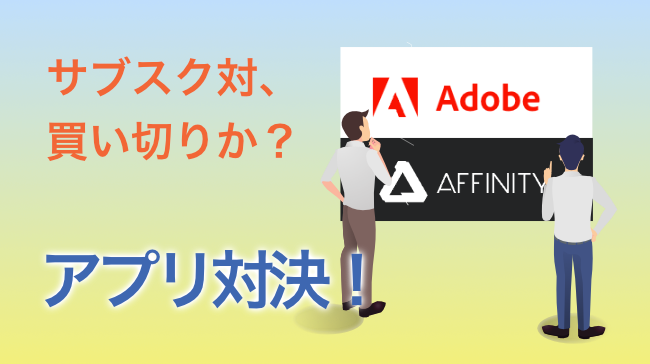
インターネット以前からデザイナーの間で使用されていたデザインアプリはadobeのIllustratorとPhotoshopです。当初は買い切りで数十万ほどしましたがサブスク化され、とっつき易さは出ましたが、支払いがずっと続くということにもなります。これに対抗して最近支持を得てきているのが買い切りアプリのAFFINITYのDesignerとPhotoです。最近「2」が出ましたが価格も7000円前後と安価なこともあり、使う人も多くなっているように思います。
どっちがいいの?を端的にお話したいと思います。なお、基準としては3DCGなどのディープな使用が多い、という人でなく標準レベルでの使用のケースです。
The design applications used by designers before the Internet were adobe’s Illustrator and Photoshop. Initially, they were bought outright and cost several hundred thousand dollars, but they have been subscripted, making them easier to use, but also meaning that the payments will continue forever. A counterpart to this is AFFINITY’s Designer and Photo, which have been gaining support in recent years. Recently, “2” has been released, and with a low price of around 7,000 yen, it seems that more and more people are using it.
Which one is better? I would like to talk about which one is better. The standard is not for those who do a lot of deep use such as 3DCG, but for those who use it at a standard level.
グラフィック アプリ対決
Adobe Illustrator VS Affinity Designer2
Illustrator ◎
Designer △ / ✕
まず、なぜこうなるかというと
・Designer2は文字の縦組ができない
・組版がきつい
・入稿が必要の際トンボートリムマークが付けられない
・よって印刷所は「非対応」
Designer2 cannot format text vertically.
The formatting is too tight.
When you need to submit a manuscript, you can’t put a dragon boat trim mark on it.
Printing house “does not support”.(In Japan)
互換性で言うと、aiをPDFを含めて保存していれば、PDFを読み込んで使用することは可能。ですが、当然アプリとしては違うので、aiのデータを編集はできないと考えたほうがいいです。さらにイラストACなどほとんどがaiを使っていますし、書き出したものがなんだかぼやけて感じます。解像度を上げて書き出しても変わりませんのでソフトウェアのクオリティの問題でしょう。
また、決定的なのは、入稿データもトンボが使えず、印刷所でも「ソフトとして非検証のためエラーが出ない保証はない」との事。当然プロのツールとしては使えない。という結論になります。
使用感としてもIllustratorに慣れていると、少々物足りないなあ、と感じる部分はあります。が、安価であることを考えると印刷することのない、趣味のブログやSNSにアップするために使うものとしては持っていてもいいかな、と思います。
In terms of compatibility, if ai is saved including PDF, it is possible to read and use PDF. However, since it is naturally a different application, layers are basically not retained, so don’t expect to be able to edit ai data.
Also, crucially, the submitted data also does not allow for the use of tonboards, and even the printing house says that there is no guarantee that there will be no errors because it is non-validated as a software. Naturally, it cannot be used as a professional tool. This is the conclusion.
Furthermore, most illustration AC and other software use ai, and the exported image feels somewhat blurry. I guess it’s a software quality issue, because it doesn’t change even if I increase the resolution and export.
If you are used to using Illustrator, you may feel that it is a bit lacking in some areas. However, considering its low price, I think it would be good to have it as a tool for uploading to hobby blogs and social networking sites, which are not used for printing.
画像編集 アプリ対決
Photoshop ◎
Photo ◯
機能面では特に不足は感じませんでした。ただ、同じデータを書き出して見比べると、僅かにPhotoshopの画質がいいです。まあ、見比べないわからない差ではあるのですが、プロとして制作を受注するならば、やはり個人的には気が引けますね。もちろん環境によっても変わる程度の差ですので、「別にいいよ」という人はAFFINITYを使っても問題ないと思います。
あ、互換性はやはりない、と思った方がいいですね。
In terms of functionality, we did not find any shortcomings. However, when I exported the same data and compared them, Photoshop’s image quality was slightly better. Well, it is a difference that cannot be seen without comparing the two, but I personally would not be comfortable with it if I were taking orders for production as a professional. Of course, the difference is only to the extent that it depends on the environment, so if you say, “I don’t care,” there is no problem using AFFINITY.
Oh, it is better to think that there is no compatibility.
結論。そしてCANVAやGIMP、Inkscapeについて・・
プロユースとしてはやはりadobe。ただ、ちょっとした制作用にはAFFINIYを持っておくのもいいかと思います。
なお、無料ソフトではGIMPやInkscapeというものもありますが、しばらく使用してみましたが、使い物になりません。機能的にも非常に使いづらく、また書き出したデータも指定のサイズで出力されなかったり、データが壊れていたり。。はっきり言って「やめた方がいいよ」ですね。
また最近ではCANVAというのもインスタなどで話題になっていますが、少し覗いたところ、数は多いけど基本はテンプレを使用するもののようで。。。
まあ、SNSに上げるものを少し工夫したい人にはいいかもしれませんが、テンプレの枠でしか制作できないものを「デザイン」とは言えないのでは?少なくとも自分の頭で考えたものを表現することは不可能でしょう。
For professional use, I would say adobe, but for small productions, I think it is good to have AFFINIY.
There are also free software such as GIMP and Inkscape, but I have used them for a while, and they are useless. They are very difficult to use in terms of functionality, and the exported data is not output in the specified size, or the data is corrupted. To put it bluntly, “You should stop using them.
Recently, CANVA has become a hot topic on Insta and other sites, but after looking into it a little, it seems that there are a lot of them but they basically use templates.
Well, it may be good for those who want to be a little creative with what they put on SNS, but I don’t think you can call something that can only be produced within the framework of templates a “design”. It would be impossible to express at least what you have in your mind.
“Last but not least,Sorry for bad English.
Best regards,”
Share Me !